






4Media HD Video Converter Introduction
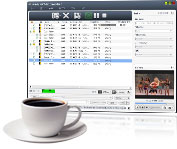
Take full advantage and watch High-Definition (HD) videos with your PS3, Xbox, and Apple TV! 4Media introduces its HD Video Converter which can satisfy all your video conversion needs. Convert any general and HD videos to HD AVI, H.264/AVC, H.265/HEVC, HD MPEG4 TS, HD MPEG2 TS, HD WMV, and HD Quick Time. HD Video Converter also allows conversions to other general videos and audios such as M2TS video, WMV HD, and MKV HD
4Media HD Video Converter has introduced NVIDIA CUDA and AMD APP technology, making video conversions 5x faster. Click here for details.
With HD Video Converter, you can now output videos on PS3, Xbox, Apple TV, iPod, iPhone, and a whole array of portable multimedia devices! It's simple to use, interface allows you to drag and drop, get snapshots when previewing, set several output profiles for the same source to convert HD videos, and adjust various parameters like bit rate, frame rate, sample rate, and so on.
Much like the AVCHD Converter, the 4Media HD Video Converter can assist you in converting AVCHD (mts, m2ts) to AVI, MPEG, MP4, etc.
Key Functions

HD Video Encoding and Decoding
You can convert all general and HD videos to standard videos: HD AVI, H.264/AVC, H.265/HEVC, HD MPEG4 TS, HD MPEG2 TS, HD WMV, HD Quick Time, etc. using this HD converter.

High Conversion Speed
4Media HD Video Converter auto detects your CPU and supports multi-core CPU providing you with the highest conversion speeds.

Expert video, audio, picture converter
4Media HD Video Converter does not only convert between video formats, but also converts video and audio into other audio formats and supports CD decoding. It's also possible to batch capture pictures from videos.


System Requirements
OS | Microsoft® Windows 11 / 10 / 8 / 7 / Vista / XP (SP2 or later) |
Processor | 1GHz Intel/AMD processor or above |
RAM | 256MB RAM (512MB or above recommended) |
Free Hard Disk | 100MB space for installation |
Graphics Card | Super VGA (800×600) resolution, 16-bit graphics card or higher |
