




4Media MTS Converter Introduction
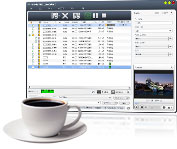
4Media MTS Converter can decode and encode H.264/MPEG4 AVC HD videos (*.m2ts, *.mts) recorded by AVCHD camcorders, which is a must-have tool for those camcorder owners. According to your own practical requirements, you can convert MTS/M2TS videos to HD/SD video files including AVI HD, H.264 HD, MPEG2 HD MPEG, MPEG2 HD MPG, MPEG4 HD, MOV HD, AVI, MOV, MP4, MPEG1, MPEG2 and MPEG4/H.264, as well as convert them to M4A/MP3 music files.
This MTS video converter allows you to split one file into several, specify output file size with Bitrate Calculator tool, and adjust various output parameters to get custom files. Apart from this, you can even output multiple files from the same file at one time to put your recorded videos on various media players.
Record those amazing moments with AVCHD camcorders, and convert them with 4Media MTS Converter, then enjoy them on PC media player or multimedia devices!
Key Functions
-

MTS to HD Video Converter
Convert H.264/MPEG4 AVC HD videos (*.m2ts, *.mts) to HD video files: AVI HD, H.264 HD, MPEG2 HD MPEG, MPEG2 HD MPG, MPEG4 HD, MOV HD.
-

MTS to SD Video Converter
Convert H.264/MPEG4 AVC HD videos (*.m2ts, *.mts) to AVI, MOV, MP4, MPEG1, MPEG2, MPEG4/H.264 video files.
-

MTS to Audio Converter
Extract M4A/MP3 music files from H.264/MPEG4 AVC HD videos (*.m2ts, *.mts).
-

Multi-core CPU Support, High Speed
This expert MTS converter processes each conversion on multiple CPU cores. Enable all cores to get the highest speed possible, or disable some to save CPU resource.
-

Batch Convert MTS Files
You can convert a batch of MTS video files in the multithreading and batch-processing mode.


 Convert Any Segment


