

rss
Current Page: Home > Products > Windows > iPod/iPad Software > iPod to PC Transfer
4Media iPod to PC Transfer for Windows
4mediawindows 7itunesiphoneios5

iPod to PC Transfer

  • Transfer music/videos/pictures/ringtones/eBooks between iPod and computer
  • Install 4Media iPod to PC transfer on your iPod to apply on any computer anywhere
  • Synchronize iTunes with iPod without file overwriting or missing
  • share files between multiple iPods and other iOS devices without limitation
  • Use iPod/iPhone as a portable hard drive with the iPod Transfer installed
  • Create, edit and delete photo albums, read and export photos/videos shot by the device
  • iPod transfer for all iPod/iPhone types, supports the latest iPhone 4, iPhone 4S and CDMA iPhone 4
  • iOS 5, iPod touch 4 and iTunes 10, iTunes 10.5 are well supported

Click Reference to check more supported devices or formats.

Free download
Size: 42.2 MB
Buy now
Price: $29.99
Want more powerful features, Compare

4Media iPod to PC Transfer Introduction
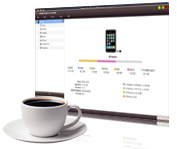
Transfer all your iPod contents to computer or iTunes library seems like a troublesome task? Not anymore with 4Media iPod to PC Transfer! This iPod transfer software does not only let you transfer videos, music, photos, ringtones, eBooks podcasts, and TV shows from iPod to PC and vice versa, but also allows you to copy files from iPod directly to iTunes for later usage. 4Media iPod to PC Transfer supports transferring files between iPod and iPod or between other iOS devices, and it's fully compatible with the latest iOS 5 and iTunes 10.

A highway between your computer and iPod/iPhone has been built using 4Media iPod to PC Transfer!

iPhone Contacts Transfer

  • Backup iPhone contacts to computer
  • Import & export contacts in CSV and vCard formats between PC and iPhone
  • Manage and restore contact information
iPhone Contacts Transfer

Key Functions

  • iPod to PC

    Latest iPod/ iPhone/iTunes are Supported

    iPod to PC Transfer can manage any iPod/iPhone types including iPod, iPod nano, iPod classic, iPod shuffle, iPod Mini, iPod touch, iPhone, iPhone 3G, iPhone 3GS, iPhone 4, iPhone 4S, CDMA iPhone 4 and even iPod nano 5.You can also connect them simultaneously and transfer files between them easily. iOS 5 and iTunes 10/iTunes 10.5 are now supported.

  • iPod to PC transfer

    iPod Content to PC Transfers

    Transfer music and videos as well as pictures and videos recorded by your iPhone or iTouch 4 from iPod/iPhone to PC at high speed for backing up your media, and never worry about iPod/iPhone file loss.

  • iPod transfer software

    Transfer Files from iPod/ to iTunes

    Besides transferring files from iPod to PC, you can also copy your iPod music and movies to iTunes library. Photos and videos shot by the device are also be transferred to computer freely

  • PC to iPod transfer

    Copy any Files from PC to iPod

    With this iPod to PC transfer, you can add your favorite music and video to your iPod as easily and handily as iTunes does!

  • The art of browsing

    The art of browsing

    Browsing option is now available in List view organizes music content into Genres, Artists, Albums, Composers, and Groupings column you can choose which option to display.

  • Thumbnail view

    Thumbnail view

    View your music playlist in Thumbnail view. You can even choose the image from your computer to put it as a thumbnail image. Apply the image to whole genera or album or playlist.

  • Show in playlist

    Show in playlist

    You might build up a long list of playlists, with many songs in common. It's easy to lose track of which songs you've put on which playlists. You can check a song and see which playlists it's already on or see all of the playlists the song belongs to.

  • iPod to iPod transfer

    iPod to iPod Transfer Software

    Connect multiple devices all together with this iPod to PC transfer software and then transfer files amongst them by drag-and-drop.

System Requirements

OS

Microsoft® Windows XP (SP2 or later), Windows Vista, Windows 7

Processor

1GHz Intel/AMD processor or above

RAM

256MB RAM (512MB or above recommended)

Free Hard Disk

50MB space for installation

Graphics Card

Super VGA (800×600) resolution, 16-bit graphics card or higher

Others

iTunes 9.1 or above

Award

  • DownloadAtoZ Awarded
iPad Max Platinum

Related Links

Copyright © 2006-2012 4Media Software Studio. All rights reserved.