





4Media iPhone to Mac Transfer Introduction
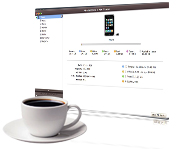
Never worry about losing your iPhone videos and music again! Using 4Media iPhone to Mac Transfer, just add the music and videos you want to iPhone without overwriting the original files. Easily transfer files/apps between your iPhone and Mac!
Supporting all iPhone types (iPad, iPad mini, iPad Air, iPad Pro (12.9/9.7/10.5/11 inch), iPod nano/mini/shuffle/classic/touch, iPhone 3G/3GS/4/5/5S/5C/SE/6/6S/7/8/X/XS/XR/11/12/13/14/15 Series), 4Media iPhone to Mac Transfer does not only copy files from Mac to iPhone more conveniently than iTunes, but transfers SMS music, photos, ringtone, ebook, PDF, videos, movies, podcasts, and TV programs from iPhone to Mac or iTunes.
With this Mac iPhone transfer software, you can use the iPhone as a portable hard drive! The iPhone Transfer allows easy management of your playlists, and a quick and fast search to find your favorite songs and videos. Try the 4Media iPhone to Mac Transfer for Free!
Key Functions

iPhone/iTunes Supported
The iPhone Transfer Mac edition software is compatible with any iPhone: iPad, iPad mini, iPad Air, iPad Pro (12.9/9.7/10.5/11 inch), iPod nano/mini/shuffle/classic/touch, iPhone 3G/3GS/4/5/5S/5C/SE/6/6S/7/8/X/XS/XR/11/12/13/14/15 Series. iOS 17 and iTunes 12 are supported now.

Backup SMS Music and Videos from iPhone to Mac
This iPhone to Mac transfer software does what iTunes cannot, i.e. back up SMS, copy music, movies, and photos to your Mac for back up and sharing. Videos and pictures recorded by devices are supported now.

Copy files from Mac to iPhone
File transfer from Mac to iPhone with this iPhone copy software is easier than iTunes. Just transfer the files you want without having to overwrite the original iPhone files.

App Transfer and App Document Management
Transfer apps between Mac and your devices, you can also manage document for some apps which support this operation.

Browsing Options
You'll enjoy the album art in your music collection even more in 4Media iPad Max Platinum for Mac. Use Cover Flow to flip through your digital music. Grid View lets you browse all your music, movie by their CD cover. Or Search your collection by Album List View, Artist list view, Genres list view or Composers list view. No matter which way you browse, you'll quickly find exactly what you want to hear and watch.

Transfer files Via Wi-Fi
4Media iPhone to Mac transfer supports Wi-Fi to sync your device with the software.

Thumbnail View
View your music playlist in Thumbnail view-You can even choose the image from your computer to put it as a thumbnail image and apply it to whole genera or album or playlist.

Show in Playlist
You might build up a long list of playlists, with many songs in common. It's easy to lose track of which songs you've put on which playlists. To avoid duplicates, you can check a song and see which playlists it's already on and see all of the playlists the song belongs to.

iPhone to iTunes File Transfer
Transfer iPhone files directly to iTunes' library using the iPhone transfer for Mac.

Manage iPhone as a Portable Hard Disk
4Media iPhone to Mac Transfer enables you to use iPhone a portable hard disk.


