





4Media iPod Max Introduction
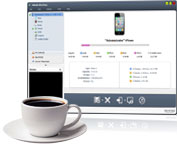
It seemed virtually impossible to transfer iPod files to a PC, or copy DVDs/videos/music to iPod with just one application. 4Media iPod Max now makes this a reality. This great iPod transfer software not only can transfer iPod supported videos/music/photos from PC to iPod and vice versa, it can also copy and backup files from iPod to iTunes (Supports iTunes 10).
DVD movies and videos/audio in other formats can all be copied to iPod, as the application can convert DVD movies to iPod and convert most videos/audio to iPod video/audio formats then transfer them to iPod in one quick step. Moreover, up to 26 iPods are supported so you can easily transfer files between several iPods at once. Finally, you can also use it as an iPhone Transfer tool to transfer files between iPhone and PC, iPhone and iTunes, or even iPhone and iPods.
Manage and backup your iPod/iPhone files on your PC with 4Media iPod Max now and build the perfect file transfer platform between your PC and your iPod/iPhone.
Key Functions

All iPod/iPhone Types and Versions are Supported (iPhone 4 Added)
4Media iPod Max is compatible with all iPod/iPhone types and versions: iPod touch, iPod touch firmware 3.0, iPod nano, iPod shuffle, iPod mini, iPhone, iPhone 3G, iPhone 3GS, iPhone OS 3.0 and iPhone 4.
Backup and Transfer iPod/iPhone Files to PC/iTunes (iTunes 10 supported)
Transfer iPod/iPhone music, video, and photo files to your PC or the iTunes library at high speed for permanent backup. Never have to worry about losing a single iPod file again.
Copy Files from PC to iPod/iPhone
Add iPod supported music, videos and photos you favor from PC to iPod or iPhone as easily and handily as iTunes!
Convert and Copy DVD Movies to iPod/iPhone
Convert DVD movies to iPod MP4 videos or MP3/M4A music, and transfer them to iPod/iPhone with a single click.
Convert Video/Audio Clips to iPod/iPhone
This iPod backup software can convert almost all video/audio files including AVI, MPEG, WMV, WMA, etc. to iPod MP4, MP3, M4A files and transfer them to iPod/iPhone in one step.
Transfer Files Between One iPhone and Multiple iPods
iPod to iPod file Transfer: Connect up multiple iPods and One iPhone and manage them all in one go. Transfer files among them by drag-and-drop.
 Portable iPod Manager
 Work with Multiple Devices
 Customize the DVD/Video/Audio to iPod File Conversion
 Edit ID3 Tag Info
 Play iPod Files with the Built-In Player
 Manage iPod Files Easily
 View Device Information
 Compatible with iPhone, makes iPhone a Portable Hard Disk
 Friendly Interface for Easy Operation
System Requirements
| OS | Microsoft® Windows XP (SP2 or later), Windows Vista, Windows 7, Windows 8 |
| Processor | 1GHz Intel/AMD processor or above |
| RAM | 256MB RAM (512MB or above recommended) |
| Free Hard Disk | 100MB space for installation |
| Graphics Card | Super VGA (800×600) resolution, 16-bit graphics card or higher |
| Others | iTunes 8.2 or above, DVD-ROM drive |