






4Media iPhone Video Converter for Mac Introduction
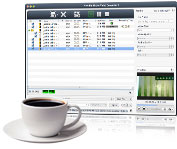
Converting all your videos to iPhone MPEG-4 video, 4Media iPhone Video Converter for Mac supports AVI, MPEG, 3GP, WMV, MP4, VOB and MOV videos to iPhone MPEG-4 videos conversion with different resolutions. The Mac iPhone MP4 converter can not only convert AVI or more to iPhone video MP4, but also convert audio to audio like MP3 to WAV, MP2 to M4A or more. It can easily convert video to iPhone audio MP3, M4A and WAV as well.
Moreover, the Mac iPhone converter can trim your videos and cut off the unwanted part, preview video and take a snapshot. You can set up the parameters like bit rate, frame rate, etc. With 4Media iPhone Video Converter for Mac, you can convert your video and movie collection ready to be seen on your iPhone.
Key Functions

Convert to iPhone movie from AVI, MPEG, MP4, WMV, and VOB videos
The iPhone movie converter Mac software can convert to iPhone MPEG-4 videos from most of video files such as AVI, MPEG, 3GP, WMV, MP4, VOB and MOV.

Convert MP2, MP3 or AAC audio to MP3, M4A or WAV audio
Support converting audio to audio like MP2 to MP3, AAC to M4A, MP3 to WAV and more, as well as decoding CDs. So you can enjoy MP3, M4A and WAV music freely on your iPhone with the Mac iPhone converter.

Extract iPhone MP3, M4A audio from AVI, MPEG, WMV
4Media iPhone Video Converter for Mac can convert AVI, MPEG, WMV and other format videos to iPhone MP3, W4A and WAV music for enjoying on your iPhone.


System Requirements
OS | Mac OS X v10.6 - 10.14(Mojave) |
Processor | Intel® processor |
RAM | 512MB RAM |
Free Hard Disk | 100MB space for installation |
Graphics Card | Super VGA (800×600) resolution, 16-bit graphics card or higher |

