





4Media iPhone Max Introduction
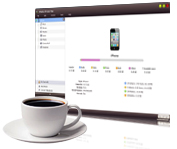
Looking for a quicker, better and smarter alternative to iTunes? 4Media iPhone Max is just the iPhone manager tool you need. Now you can easily backup and transfer movie, music, ringtones, books, contacts, apps, SMS messages (.html and .txt format) and image files in just about any format between iPhone, computer and iTunes. Convert video and audio files to iPhone supported formats convert home CDs/DVDs, Home DVD folders and ISO images to iPhone using this multipurpose iPhone manager.
4Media iPhone Max has introduced NVIDIA CUDA technology, making video conversions 5x faster. Click here for details.
4Media iPhone Max can help you create new playlists,read/export photos and videos shot by the device, manage several iOS devices at one time, check and search files, edit song tags, play music and preview movies, and many other great abilities. You can even access your iPhone content in Windows Explorer once you have this iPhone manager installed on your computer. Moreover, this iPhone manager supports managing multiple iPhone devices simultaneously. Download 4Media iPhone Max for FREE and manage your iPhone without iTunes.
Key Functions

Transfer Files between your iPhone and PC
Backup iPhone to PC and transfer PC files to iPhone: Move iPhone movies, music, books, apps, contacts, SMS messages and image files including iPhone shot images and videos from your iPhone to your PC and vice versa without iTunes.

Backup iPhone to iTunes
This iPhone manager helps you transfer and backup iPhone content to iTunes easily. Now support iTunes 12.

Convert Videos/Music into iPhone Format
Convert video and audio files to iPhone supported formats, and directly transfer them to iPhone.

Copy DVD movies to iPhone
Convert CDs/DVDs, DVD folders and ISO images to iPhone supported formats, and directly transfer them to iPhone.

App Transfer and App Document Management
Transfer application between PC and iPad, also support to manage some applications' documents. Newly support drag and drop.


System Requirements
OS | Microsoft® Windows 11 / 10 / 8 / 7 / Vista / XP (SP2 or later) |
Processor | 1GHz Intel/AMD processor or above |
RAM | 256MB RAM (512MB or above recommended) |
Free Hard Disk | 100MB space for installation |
Graphics Card | Super VGA (800×600) resolution, 16-bit graphics card or higher |
Others | iTunes 9.1 or above, DVD-ROM drive |
