


4Media iPhone Ringtone Maker Introduction
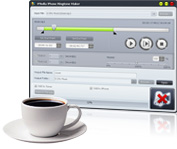
4Media iPhone Ringtone Maker provides you with the best solution for making iPhone ringtones. Once you've made your perfect ringtone, simply upload it directly to your iPhone. This ringtone maker supports a vast number of audio and video formats including: AVI, MPEG, WMV, DivX, MP4, H.264/AVC, AVCHD, MKV, RM, MOV, XviD, 3GP, WMA, WAV, RA, M4A, and MP3. Convert any of the listed formats to the iPhone M4R file to be used as your iPhone ringtone.
4Media iPhone Ringtone Maker does not just make ringtones but it can upload the ringtones directly to your iPhone/iPad/iPod. Simply clip any audio segment you want as your ringtone, add fade-in and fade-out effects to your ringtone, and listen to the segment before converting to make sure everything it's exactly as you wanted.
Easy to operate and a wide array of supported formats makes 4Media iPhone Ringtone Maker the ideal ringtone converter for iPhone. Try it today for free!
Key Functions

iPhone types and iTunes Supported
This ringtone maker for iPhone can transfer your ringtones directly to any iPhone: iPhone, iPhone 3G, iPhone 3GS and iPhone Firmware 3.2.2. Now iPhone 5, iPhone 5s, iPhone 5c, iPad Air and iTunes 12 are fully supported.
Make iPhone Ringtone From Music
Support a large number of audio formats including MP3, WMA, WAV, RA, M4A, AAC, AC3, OGG, etc. 4Media iPhone Ringtone Maker simplifies your ringtone making by converting any music file like MP3 to M4R iPhone ringtones.
Create and Convert iPhone Ringtones From Video
This great iPhone ringtone converter can also make iPhone ringtones from any video format including AVI, MPEG, WMV, DivX, MP4, H.264/AVC, AVCHD, MKV, RM, MOV, XviD, 3GP, etc.
 Auto-transfer Ringtones to iPhone
 Add Fade-In and Fade Out Effects
 Clip Ringtone Segment
 Preview Your iPhone Ringtone Before Conversion
 Easier to Make Ringtones
 The Easiest Way to Create iPhone Ringtones
 Multiple Language Interfaces
System Requirements
| OS | Microsoft® Windows 11 / 10 / 8 / 7 / Vista / XP (SP2 or later) |
| Processor | 1GHz Intel/AMD processor or above |
| RAM | 256MB RAM (512MB or above recommended) |
| Free Hard Disk | 50MB space for installation |
| Graphics Card | Super VGA (800×600) resolution, 16-bit graphics card or higher |
| Other | iTunes 8.2 or above |