


4Media DVD to iPhone Converter Introduction
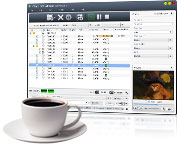
To put Home DVD on iPhone, you need 4Media Home DVD to iPhone Converter. Once owning this perfect Home DVD to iPhone converter software, it becomes incredibly easy to convert Home DVD movie to iPhone video MPEG-4 and convert Home DVD movie to iPhone music. Putting Home DVD movies on iPhone becomes quite easy once you own this Home DVD to iPhone converter software.
Much more features in 4Media Home DVD to iPhone Converter make the Home DVD to iPhone conversion easier and handier: convert Home DVD to iPhone MP4 video in custom size, convert DVD's any segment, select target subtitle, angle and audio track, and adjust bit rate, frame rate and so on. Support for NVIDIA CUDA and AMD APP technology, up to 5X faster processing performance is delivered.
Super fast and easy-to-use Home DVD iPhone converter, just a few clicks are enough to convertHome DVD to iPhone MP4 to highlight your digital entertainment life! Free download to have a try.
Can't rip/convert DVD with copyright.
Key Functions

Convert DVD to iPhone video
Convert DVD to iPhone video MPEG-4 at different resolutions, and watch the amazing MP4 videos on iPhone.

Convert DVD to iPhone audio
Also you can listen to the music and dialogue of DVD movie by converting and converting DVD to iPhone audio MP3, M4A, WAV.

Quickly convert DVD to iPod files
Transferring DVD movies to iPod can also be accomplished by converting DVD to iPod MP4 video or MP3 audio.

Engined with NVIDIA CUDA and AMD APP technology
Support for NVIDIA CUDA and AMD APP technology, up to 5X faster processing performance is delivered.


System Requirements
OS | Microsoft® Windows 11 / 10 / 8 / 7 / Vista / XP (SP2 or later) |
Processor | 1GHz Intel/AMD processor or above |
RAM | 256MB RAM (512MB or above recommended) |
Free Hard Disk | 100MB space for installation |
Graphics Card | Super VGA (800×600) resolution, 16-bit graphics card or higher |
Others | DVD-ROM Drive |