

• 4Media DVD to iPhone Converter for Mac
  • 4Media DVD to iPhone Converter for Mac for mac

    4Media DVD to iPhone Converter for Mac is smartly designed DVD to iPhone converter software for Mac users which can not only rip and convert DVD to iPhone video format, but also convert DVD to iPhone audio formats like M4A, WAV and MP3 etc, on your Mac directly.

4Media DVD to iPhone Converter for Mac Introduction
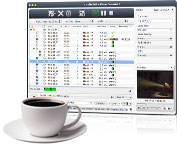
4Media DVD to iPhone Converter for Mac is smartly designed DVD to iPhone converter software for Mac users. It is professional in converting DVD to iPhone MP4 video with the resolution for 640 by 480. It can not only rip and convert DVD to iPhone video format, but also convert DVD to iPhone audio formats like M4A, WAV and MP3 etc, on your Mac directly.

It also converts DVD to iPod MPEG-4 for Video iPod, Apple TV, new iPod 30GB and 80GB together with the resolution for 640 x 480.

4Media DVD to iPhone Converter for Mac provides several default iPhone video profiles, which you can use to convert your DVD to iPhone MPEG-4 Video formats. The profiles will help you get the video you like such as minimal size video, high quality video, etc.

It also has many settings you can customize, for example, converting DVD to iPhone MPEG-4 video by customizing file size through setting video bitrate, ripping DVD’s any titles or chapters, and selecting target subtitle and audio track.


Key Functions

  • Convert DVD to iPhone video format MP4
    Output format supported: MP4 
  • Converter DVD to iPhone, iPod, and Apple TV audio formats MP3, M4A, WAV
    Output format supported: MP3, M4A

Key Features

  • Numerous players supported
    The software is a professional mp4 tool for iPhone 
  • Super high speed provided
    No limitation for highest speed, conversion speed will be improved with better performance of your Mac; Multithreading and batch conversion supported; >200% converting speed provided 
  • So simple settings provided that almost few clicks to finish the whole conversion
    There are several optimized profiles for iPhone with different quality in the software which can be used directly without any further settings. If you want iPhone 320×240 files in normal quality, what you need do is choosing “iPhone MPEG-4(320*240) Normal(*.mp4)” profile 
  • Trim function supported
    So that you can rip any preferred segment by setting the start and end time 
  • Both default settings and professional ones provided
    If you are a green apple, you can use the default settings while as an experienced user, meanwhile, you can set the advanced settings by yourself like video size, bit rate, frame rate, zoom etc 
  • Snapshot supported in preview process 
    You can take a snapshot of the preview file at need 
  • Auto-split the output file to several files to fit your iPhone
  • Batch conversion supported 
  • You can pause, stop or continue at any time you like in the conversion process
  • You can preview the files to be converted 
  • Edit function for ID3 tag of MP3 format provided

System Requirement:

  • MAC OS X v10.4 or higher operating system;
  • Intel Core Duo processor, POWER G5 processor or above;
  • 512MB RAM;
  • 40MB free hard disk space.

Award


  • Awards From Download2PC to DVD to iPhone Converter for Mac
  • 5
star award for DVD to iPhone Converter for Mac