





4Media iPhone Transfer Introduction
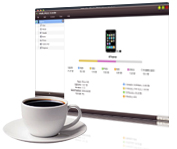
Tired of iPhone applications that won't allow you to transfer files from your iPhone to PC? 4Media iPhone Transfer helps you copy iPhone contents (especially photos/videos recorded by the device)to PC and export files from PC to iPhone. Besides just transferring media, you now can use your iPhone as a portable hard drive with the help of iPhone Transfer.
4Media iPhone Transfer is the ideal iPhone managing tool. The iPhone Transfer allows you to conveniently copy iPhone contents to iTunes, and transfer music/videos/photos/messages/books/contacts/apps between PC and iPhone. Fully compatible with iOS 17 and iTunes 12!
Key Functions

Transfer Music from iPhone to PC
Transfer music from iPhone to computer, copy iPhone media and backup the files to your computer at high speeds. And you can also read and export photos/videos shot by the device.

Transfer iPhone Contents to iTunes
Transfer iPhone music, videos, messages, books, contacts, apps and photos directly to your iTunes library with this versatile iPhone transfer software.

Transfer Files from PC to iPhone
Transferring files from PC to iPhone with this iPhone to PC transfer software is easier and handier than iTunes!

iPhone Photo Transfer
Transfer photos from computer to iPhone as well as copy photos from iPhone to computer. Copy photo from photostream is also possible now.

App Transfer and App Document Management
Transfer application between PC and iPad, also support to manage some applications' documents. Drag and drop is supported newly.


System Requirements
OS | Microsoft® Windows 11 / 10 / 8 / 7 / Vista / XP (SP2 or later) |
Processor | 1GHz Intel/AMD processor or above |
RAM | 256MB RAM (512MB or above recommended) |
Free Hard Disk | 50MB space for installation |
Graphics Card | Super VGA (800×600) resolution, 16-bit graphics card or higher |
Others | iTunes 9.1 or above |
