


How to Make A Photo DVD With Music

Have many great photos & pictures of the special occasions such as wedding, birthday party, Christmas etc.? Wondering how to make your photos to DVD so that you can watch them on your multimedia devices or on large screens? This article will show you the tips for how to make a photo DVD.
To make photo DVD with music is easy. 4Media Photo DVD Makeris just what we need for converting photo library into DVD movies. The program can convert various formats of pictures, photos to DVD, allow to insect multiple audio tracks and add special image effects and photo transition effects.
Its main functions & features include:
Turn pictures & photos into DVD movies, burn into DVDs
Create ISO files and DVD folders
Add multiple audio files
Add fade-in/fade-out effects and image playback effects
Add chapters to DVD title
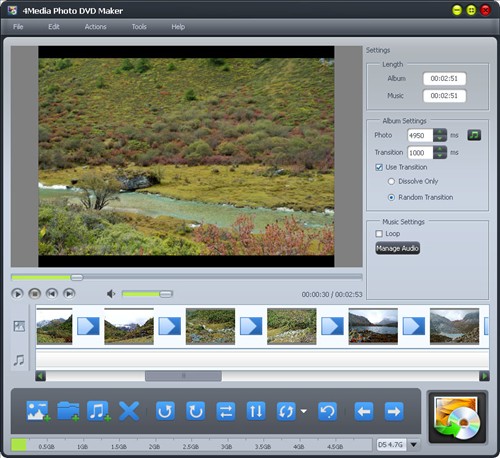
What's more important, the DVD Photo Slideshow creator allowing for maximum photo to DVD speed of conversion.
How to make a DVD folder with music?
Step one, Add photo files
Click on the FILE menu on the top or ADD files button below, you can load your pictures and photos.
Step two, Add audio & sound track
Click on Add Audio file button below to add sound & music for your DVD. Here you find your answers for how to make a photo DVD with music.
Step three, DVD settings
Set photo transition effects, image playback effects, video & audio quality and other features.
Step four, start to make DVD
Click on the START button on the bottom right and start to create a DVD.
Download 4Media Photo to DVD Maker software and check out more of its great functions. To know more tips beside how to make a photo DVD with music, please check Software Tips for details.
