


How to backup iPad without iTunes on Mac

Apple iPad, the tablet and nice piece of designer work. This extremely addictive tablet is a computer like any other in its basics. This means it can crash one day. So you should be sure all your data from the iPad are backed up. Here we would like to introduce a way to backup iPad without iTunes. Using 4Media iPad Max Platinum for Mac , an iPad Manager software, we can easily backup any files on iPad to computer. Let's see how to do this using this iTunes alternative software. (Support iTunes 10, iPad 2, and iOS 4.3.)
Backup iPad without iTunes on Mac
Firstly, free download 4Media iPad Max Platinum for Mac. Install it on your computer and start the software. OK, here we go.
How to backup iPad without iTunes on Mac?
Step 1: Connect your iPad to computer
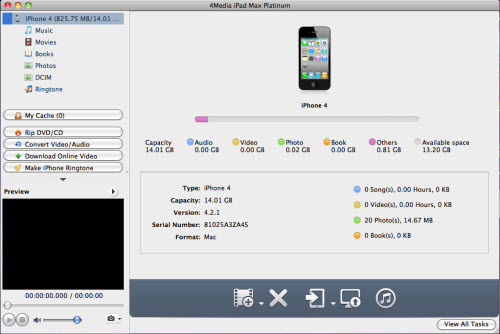
Connecting your iPad to your computer, and you will see 4Media iPad Max Platinum for Mac recognizes your iPad automatically and displays the device information on the software interface as picture below shows.
Step 2: Choose the files and backup
Open a library/playlist, and check the files you want to backup, then click "Export Checked Files to Local Folder" drop-down button, then choose "Export to Local" option, then select the destination folder and start file transfer.
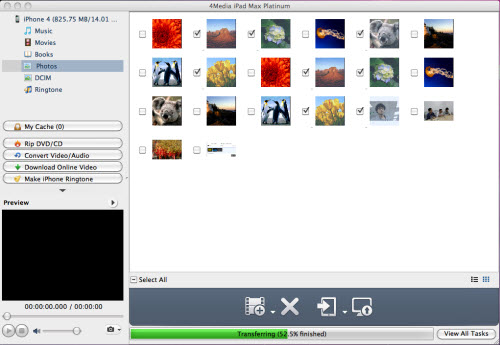
OK, that's all. After a few minutes, 4Media iPad Max Platinum would backup the files you choose to your computer. So simple to backup iPad without iTunes!
See what else the iPad manager can do:
