How to Convert PDF to PPT Files
Sep 23, 2011 Posted by Sandra Lee to Tips
People usually create PDF from Microsoft office for archiving or some other purpose. Sometimes, they need to convert PDF back into editable formats, such as PowerPoint. PPT/PowerPoint is one of the most usual office formats. Here we'd like to tell you how to convert PDF to PPT step by step.
Step1, download 4Media PowerPoint Converter Pro and install.
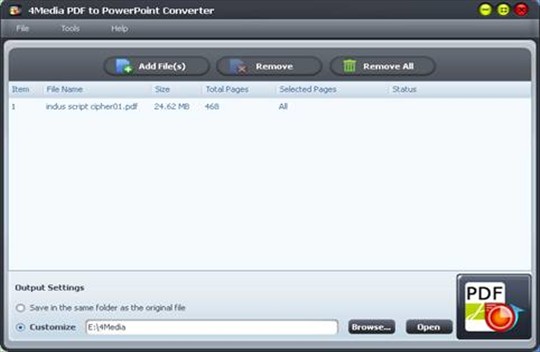
Step2, run 4Media PDF to PowerPoint Converter and drag the original PDF to the main interface. It will be loaded into the software.

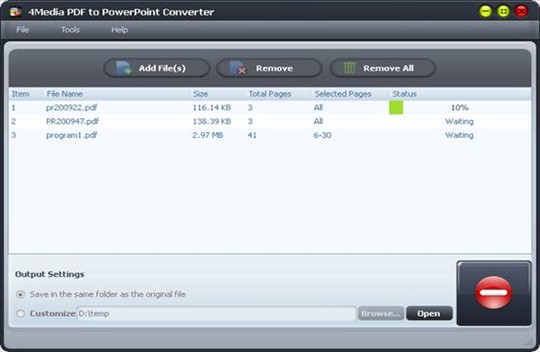
Step3, click Browse button to select proper path for output files. Then click "Convert" button to start the conversion from PDF to PPT.

Okay, done.
4Media PowerPoint Converter Pro is an all-in-one PowerPoint converter suite. Want to know more, click here.
Add New Comment
Featured Tips
Tips Categories
Video/Audio Tips
- How to Convert Video Files With 4Media Free Video Converter
- How to Convert Video to MP3
- How to Convert 3gp to AVI Videos
- How to Convert Audio Files to MP3
DVD/CD/Blu-Ray Tips
- How to convert dvd movies to iso image
- How to Convert Blu-ray to AVCHD
- How to Rip & Convert DVD to MP3
- How to Create a DVD
iPod Tips
- How to convert movies to iPod format, iPod Touch
- transfer iTunes library to mac
- Share music between iPods
- Copy DVD to iPod touch
iPhone Tips
- How to transfer contacts from iPhone to Mac, from Mac to iPhone
- How to transfer contacts from iPhone to computer, iPhone to iPhone
- How to import contacts to iPhone
- How to Transfer Music From iPhone to Computer
iPad Tips
- How to Convert & Transfer DVD Movies to iPad
- How to Put Videos on iPad
- Backup iPad on Mac
- Wi-Fi and Wi-Fi + 3G versions
Youtube/Online Video Tips
- Convert YouTube to MP3 Mac
- How to download blocked YouTube videos
- How to Convert YouTube Videos to AVI
- Download YouTube to Mac
PPT/PDF Tips
- How to Convert PDF to PPT Files
- How to create EPUB ebooks from pdf, html, chm files
- How To Convert PDF to Word Doc
- Convert PDF to ePub