


How to convert M4A to MP3 music
Looking for a way to convert M4A to MP3? Here we will introduce 4Media MP3 Converter which works as professional MP3 converting software to convert video &audio files in other format to MP3 music. Let's see how to convert M4A to MP3 using this MP3 converter.
How to convert M4A to MP3 step by step?
Step1. Load the M4A file for converting
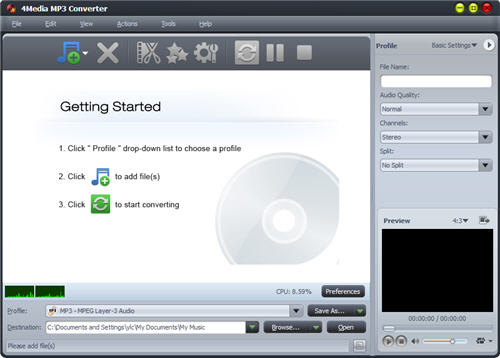
Install and launch 4Media MP3 Converter. See the software interface as below.
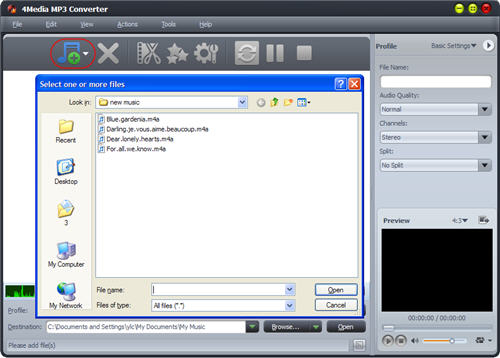
Step2. Output customization, specify the profile parameters yourself (Optional)
Generally, you can go to step3 for simple M4A to MP3 converting. And if you want to customize the output MP3, you can follow this step.
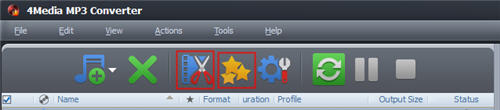
Click the first "clip" button to clip the source files if you want to pick up a specific segment to convert; click the second "effects" button to add Fade In/Out, Chorus, etc. effects on target MP3.
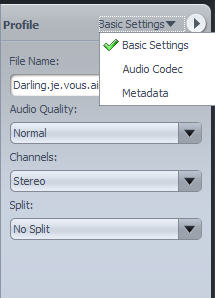
You are also allowed to change the profile settings of output MP3, choose these parameters on the profile board according to your need.
Step3. Start the M4A to MP3 conversion
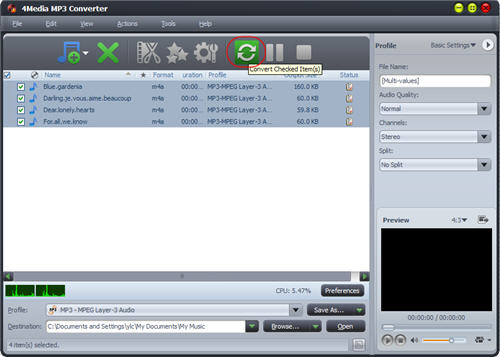
Click the button to start converting the checked files to MP3 music. The conversion would be completed in a few minutes.
Knowledge Base
What's M4A?
M4A is an audio file format used by Apple in their popular iTunes Music Store often appears on your system with the ".M4A" filename extension. M4A can produce better audio quality than MP3 using less physical space for the files.
