


How to convert DVD to DivX AVI
How to convert DVD to DivX AVI? 4Media DVD to Video, professional DVD converting software, can convert all types of DVD to all popular video and audio formats. And in this guide, we will show you how to convert DVD to DivX AVI step by step using 4Media DVD to Video.
Choose an edition to download, each one supports the DVD to DivX converting:
Ultimate - Supports Video Crop, Video special effect
Platinum - Supports Video Clip
Standard - Basic video converting and more.
Know more about the difference among the tree editions: Compare
Download the software, install and launch it. Now, let's start. Take the ultimate one as example.
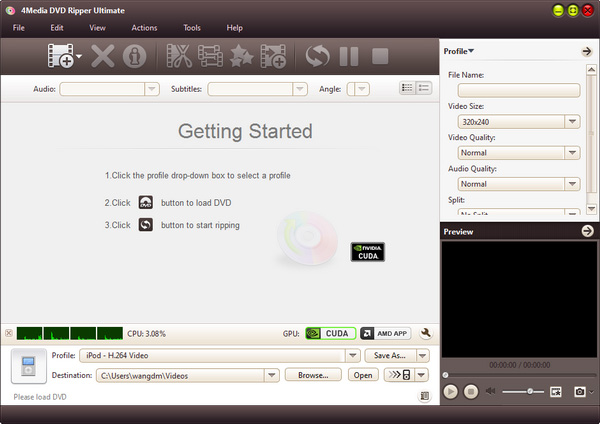
Step 1: Load the DVD to convert
Insert your DVD disk into the DVD-ROM, then 4Media DVD to Video will automatically read the disc after you insert the disc.
Step 2: Set output format
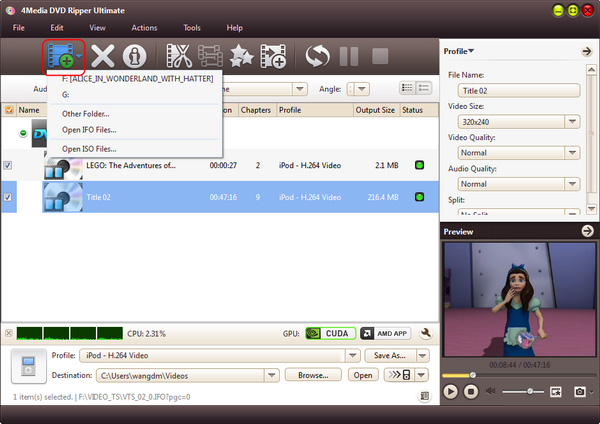
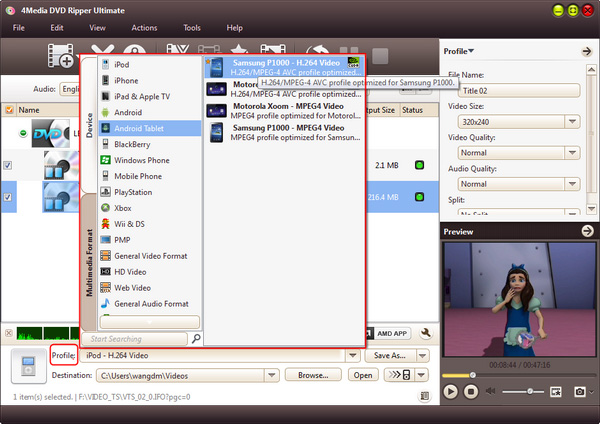
Click to open the "Profile" drop-down list and scroll to select the format - in Common Video category, choose "DivX Movie" (*.avi) as output format.
Further more, 4Media DVD to Video allows you to customize the output videos by changing default video/audio parameters. Change the default DVD audio, subtitle, and angle, Zoom mode and define output video size, video quality, and channels in Advanced Profile Setting panel.
Step 3: Start converting
When all settings OK, click the green "Convert" button on the bottom ToolBar to start the DVD to DivX AVI conversion.
After a little while, the "completed" status shows and the conversion is finished. You can just click "Open" button to open the target file directory to check the videos.
Everything is so easy with 4Media DVD Converter, have a free trial from now on!
