





4Media DVD Creator Introduction
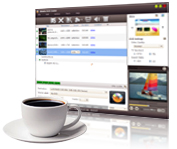
Have you imagined creating your own Home DVD movie with all your video stories? 4Media Home DVD Creator empowers you to preserve and burn video files to Home DVD movie disc (e.g. convert AVI, MPEG, WMV, MTS, M2TS, MKV, MP4 to DVD, create Home DVD from MOV videos shot by iPhone 4/iPhone 4S), and also create Home DVD folder or ISO file from video files. Compatible with DVD-R, DVD+R, DVD-RW, DVD+RW, DVD+R DL and DVD-R DL, this movie Home DVD maker supports burning video files to different Home DVD disc formats.
A great variety of Home DVD authoring features are included in this movie Home DVD maker software, allowing you to create a specific Home DVD menu, clip video to reserve the essential clips, crop video frame size, adjust video effect, add watermark, and set audio tracks and subtitles for target Home DVD movie.
High burning speed and superior image/sound quality to burn Home DVD movie with 4Media Home DVD Creator! Have a free trial of this amazing movie DVD maker to turn your videos into Home DVD and share your stories with friends.
Key Functions
-

Create DVD Movie from Videos
Create DVD from video files: create DVD from MP4, 3GP, 3G2, ASF, AVI, DAT, DV, VOB, FLV, MKV, DVS(R)-MS, MPG, MPEG, TS, MOV, RM, RMVB, WMV, NSV, M2TS, MTS, MOV (shot by iPhone 4/iPhone 4S).
-

Convert Videos to DVD Folder or ISO File
Convert and burn MP4, 3GP, 3G2, ASF, AVI, DAT, DV, VOB, FLV, MKV videos to DVD folder or ISO file for backup.
-

Create Custom DVD
The movie DVD maker allows you to create custom DVD with personalized menu, edited video clips, stylish video image effect, custom audios tracks and subtitles.
-

Multithreading and Multi-Core Processing
4Media DVD Creator completes the DVD burning in multithreading and multi-core processing mode at super high speed. Add multiple number of file to convert in one conversion, greatly reducing the time to create a DVD.
-

Burn Videos to Various Disc Formats
This movie DVD maker supports DVD-R, DVD+R, DVD-RW, DVD+RW, DVD+R DL, DVD-R DL, DVD-5 and DVD-9 as target DVD disc formats for the DVD creating.


System Requirements
OS |
Microsoft® Windows 11 / 10 / 8 / 7 / Vista / XP (SP2 or later) |
Processor |
1GHz Intel/AMD processor or above |
RAM |
512MB RAM |
Free Hard Disk |
80MB space for installation (10GB or more for temporary files) |
Graphics Card |
Super VGA (800×600) resolution; 16-bit graphics card or higher |
Others |
Recordable DVD drive |
