




4Media FLV to MPEG Converter Introduction
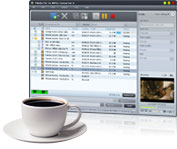
4Media FLV to MPEG Converter helps you convert FLV to MPEG1/MPEG2 video files as easy as 1-2-3 at high speeds, for the convenience of playing them on Windows media player or backing up them onto VCD/DVD disc.
The optimized output file formats in this FLV to MPEG converting software assure you of optimum MPEG files, which also have high flexibility in the parameters, thus you can get custom files with the resolution, file size and quality you want by splitting a large file by specified split mode, customizing the output file size, extracting your favorite video segment, and setting other parameters. Have a free trial of 4Media FLV to MPEG Converter now!
Key Functions
-

Convert FLV to MPEG Video
Convert FLV to MPEG1 video, convert FLV to MPEG2 video. Playback these videos on Windows media player or backup them to VCD/DVD disc!
-

More CPU Cores, Higher Speed
Process each FLV to MPEG conversion with all CPU cores in super fast speed, and get higher speed if you have more cores.
-

Batch Convert FLV to MPEG Files
This FLV to MPEG converter supports multithreading and batch process, allowing you to convert multiple FLV files in batches.


