


4Media FLV to MP4 Converter Introduction
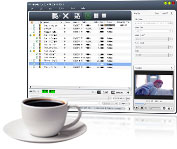
Looking for the best way to make the FLV videos fit your MP4 players? Want to convert YouTube downloaded FLV videos to MP4 and watch them on your own device? Once with 4Media FLV to MP4 Converter, converting FLV to MP4 video has never been easier. This FLV to MP4 video converter software can convert FLV files to MP4, MPEG-4, MOV, H.264/MPEG-4 AVC videos for playback on various MP4 players, and extract MP3, WAV, M4A audios from FLV videos.
According to the different requirement of target device, you can freely adjust the output parameters to make target MP4 videos right for your device, e.g. split/trim file, compress file size, set the resolution, bit rate, frame rate and more.
Come to enjoy 4Media FLV to MP4 Converter now! Feast your eyes and ears on the FLV videos with MP4 players on the go, and have a magic journey.
Key Functions

FLV to MP4 video
Convert FLV to MPEG-4, MOV or H.264/MPEG-4 AVC video that's compatible with various MP4 players.

FLV to audio
Convert FLV video to MP3, WAV or M4A audio for extracting fantastic background music or dialogue.

Multi-core on each task
Auto detect CPU configuration, and process one task with multi-core CPU, and even allow you to choose the core number for conversion.


System Requirements
OS | Microsoft® Windows 11 / 10 / 8 / 7 / Vista / XP (SP2 or later) |
Processor | 1GHz Intel/AMD processor or above |
RAM | 256MB RAM (512MB or above recommended) |
Free Hard Disk | 100MB space for installation |
Graphics Card | Super VGA (800×600) resolution, 16-bit graphics card or higher |