




4Media FLV to 3GP Converter Introduction
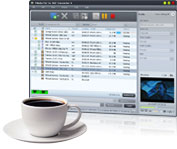
Watching FLV videos downloaded from YouTube on 3GP mobile phones is not so hard once you have 4Media FLV to 3GP Converter. This FLV to 3GP converter empowers you to convert FLV to 3GP or 3G2 video files in batches at high speeds. Each FLV to 3GP conversion can be processed on multiple CPU cores.
Converting FLV to 3GP can be easily accomplished in two steps without any settings, and if you're not so satisfied with the default output files, then you can make adjustments to the output parameters, e.g. split a large file by preset split mode, customize the output file size, extract your favorite video segment, and set advanced parameters.
Have a free trial of 4Media FLV to 3GP Converter now, and experience the amazing FLV videos on your 3GP mobile phone anytime anywhere!
Key Functions
-

Convert FLV to 3GP Video
Convert FLV to 3GP video, convert FLV to 3G2 video, and watch FLV videos on 3GP mobile phones now!
-

More CPU Cores, Higher Speed
Each FLV to 3GP conversion can be processed on all the CPU cores. The more CPU cores you have, the higher speed you will get.
-

Batch Convert FLV to 3GP Files
This FLV to 3GP converter supports multithreading and batch process, allowing you to process multiple FLV to 3GP conversions at the same time with fast speed.


