





4Media DivX to DVD Converter Introduction
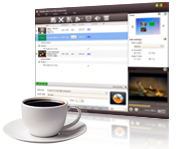
4Media DivX to Home DVD Converter is a specific DivX to Home DVD burner to convert DivX to DVD and burn XviD to DVD, which is the optimal solution to solve your problem of storing too many videos on the poor hard disk, and also create Home DVD folder or ISO file from DivX/XviD video files. Different Home DVD disc formats like DVD-R, DVD+R, DVD-RW, DVD+RW, DVD+R DL, DVD-R DL, DVD-5 and DVD-9 can all be accepted as target Home DVD in 4Media DivX to Home DVD Converter.
With a series of flexible Home DVD editing features available in this DivX to Home DVD burner, it’s rather simple to create custom Home DVD movie in the way of creating Home DVD menu, clipping video, cropping video size, adjusting video image effect, adding watermark, audio tracks and subtitles, etc.
High speed, intuitive interface and rich features make this DivX to Home DVD burning software brilliant. Download 4Media DivX to Home DVD Converter for a free trial now, and get more fun from burning DivX/XviD video files to DVD.
Key Functions
-

Burn DivX/XviD to DVD
Convert DivX files to DVD, burn XviD to DVD movie, and watch created DVD movie on DVD player.
-

Burn DivX/XviD to DVD Folder or ISO File
Create DVD folder or ISO file from DivX/XviD video files when no DVD disc available.
-

Burn DVD Movie Your Way
Burn DivX to DVD movies with custom DVD menu, clipped video files, edited video effect, added audios tracks and subtitles, and adjusted parameters.
-

Multithreading and Multi-Core Processing
4Media DivX to DVD Converter will complete the DivX to DVD burning in multithreading and multi-core processing mode at super high speed. Add multiple number of file to convert in one conversion, greatly reducing the time to create a DVD.
-

Burn DivX/XviD to Different DVD Disc Formats
Support most popular disc formats of different specs and volumes as target DVD: DVD-R, DVD+R, DVD-RW, DVD+RW, DVD+R DL, DVD-R DL, DVD-5 and DVD-9.


System Requirements
OS |
Microsoft® Windows 11 / 10 / 8 / 7 / Vista / XP (SP2 or later) |
Processor |
1GHz Intel/AMD processor or above |
RAM |
512MB RAM |
Free Hard Disk |
80MB space for installation (10GB or more for temporary files) |
Graphics Card |
Super VGA (800×600) resolution; 16-bit graphics card or higher |
Others |
Recordable DVD drive |
