





4Media DVD Frame Capture for Mac Introduction
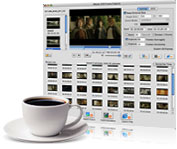
Wanna capture and save the wonderful movie scenes from DVD? Have a try of 4Media Home DVD Frame Capture for Mac. This Home DVD screen capture for Mac provides an easy way to capture image from DVD-Video or Home DVD folder, and output them as JPEG, PNG, BMP, GIF picture, or GIF and Flash animation, or even HTML page.
4Media Home DVD Frame Capture for Mac provides batch capture and single snapshot modes to extract Home DVD frame, Home DVD picture. Furthermore, the particular picture list enables you to preview the captured images and helps you extract pictures by frames more accurately. With 4Media Home DVD Frame Capture for Mac, you will not miss a single Home DVD screen you love.
Can't rip/convert Blu-ray with copyright.
Key Functions
-

Capture DVD image in batch or singles
Freely choose the way to output your favorite movie scenes - output in batches from whole movie or movie segment, or output exact movie screens in singles.
-

Capture DVD scene as static picture
Bach capture or single capture image from DVD and save as JPG, PNG, GIF or BMP format.
-

Output DVD frame as animation
With this DVD screen capture Mac software, you can export the captured frames as GIF or Flash animation to get lively view.
-

Export DVD pictures as HTML page
To make your share and upload easier, the program provides HTML webpage form to export your captured frames.
-

Preview the pre-output frames
Before outputting, 4Media DVD Frame Capture for Mac allows you to preview the pre-output frames for accurate outputting.


